Bug/disk order bug during ingest #4548
There are no files selected for viewing
| Original file line number | Diff line number | Diff line change |
|---|---|---|
|
|
@@ -7239,7 +7239,9 @@ private List<UnmanagedInstanceTO.Disk> getUnmanageInstanceDisks(VirtualMachineMO | |
| instanceDisk.setController(DiskControllerType.getType(device.getClass().getSimpleName()).toString()); | ||
| instanceDisk.setControllerUnit(((VirtualSCSIController) device).getBusNumber()); | ||
| } else { | ||
| String msg = String.format("Controller of disk %s is unsupported", instanceDisk.getLabel()); | ||
| s_logger.error(msg); | ||
| throw new Exception(msg); | ||
| } | ||
| break; | ||
| } | ||
|
|
@@ -7264,6 +7266,7 @@ private List<UnmanagedInstanceTO.Disk> getUnmanageInstanceDisks(VirtualMachineMO | |
| instanceDisks.add(instanceDisk); | ||
| } | ||
| } catch (Exception e) { | ||
| instanceDisks.clear(); | ||
| s_logger.info("Unable to retrieve unmanaged instance disk info. " + e.getMessage()); | ||
| } | ||
| } | ||
|
|
@@ -7274,9 +7277,7 @@ public int compare(final UnmanagedInstanceTO.Disk disk1, final UnmanagedInstance | |
| } | ||
|
|
||
| int extractInt(UnmanagedInstanceTO.Disk disk) { | ||
| return disk.getPosition() + (disk.getControllerUnit() * 100); | ||
|
Contributor
There was a problem hiding this comment. @DK101010 In the code above this section we set ControllerUnit only for
Contributor
Author
There was a problem hiding this comment. @shwstppr Good point, But how realistic is it to say that we have a volume with a position and without a controller id.? I talked with my administration and network colleagues and other controller types like NVME and SATA have also a controller id.
Member
Contributor
Author
There was a problem hiding this comment. @rhtyd damn, your are right, that was to quick from my side, the catch block catch all exceptions :(. Hmm ... is it ok to remove the catch block ? In my opinion the ingest process should be canceled if not all volumes ingestible. What do you think @rhtyd @shwstppr ?
Member
There was a problem hiding this comment. Yes, as long as that's acceptable
Contributor
There was a problem hiding this comment. I think IDE and generic SCSI (VirtualSCSIController) will cover all disk controllers. If we are getting any other type of VirtualController as a disk, an exception seems correct to me. However, the error message needs to be a bit more generic there as the same method is used for listing unmanaged isntances
Contributor
Author
There was a problem hiding this comment. @shwstppr Sure, we use also only IDE, SCSI controller but for me it sounds critical in case of other/new controller to ingest vm's without volumes . I think from user perspektive it is inconsistent to see that the vm is ingested but is unusable.
Contributor
There was a problem hiding this comment. @DK101010 I'm not sure if this formula is giving correct position/order for the disk. With changes - Root disk is showing up at second position in order Without change - Root disk at first place
Contributor
Author
There was a problem hiding this comment. Hi @shwstppr, the list is correct sorted by controller id and position. Works like I want. Your root disk is on controller Id 0 and position 1 and you have two disk on the same position. I'm a little bit confused. In my mind vmware puts the root disk in every case on controller id 0 and position 0.
Contributor
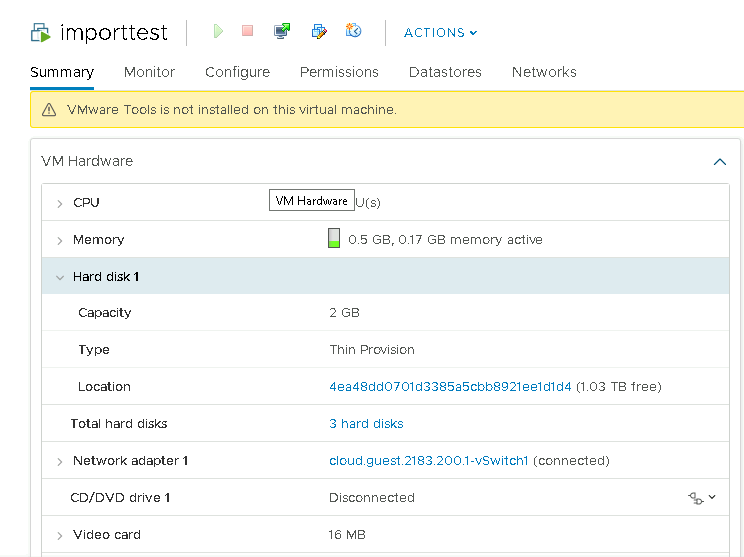
There was a problem hiding this comment. Hi @DK101010, I'm not sure why two disks have same position. To get this unmanaged VM. I just created a VM in cloudstack, added two data disks to it and then cloned the vm in vcenter.
Contributor
Author
There was a problem hiding this comment. @shwstppr ahh ok you have two controller(ide, lsilogic), But in my opinion it makes no sense that you have one disk on one controller on position one. Also should increment the controller id, when you use more the one controller. And for this reason works this feature not correct. I think you found a other bug.
Contributor
Author
There was a problem hiding this comment. Hi @shwstppr, I talked with my team about this behavior. First, your controller ids are correct. Increments are per controller type. For this reason is my implementation not better as the old one. Perhaps we could check in the sort algorithm if device type == scsi controller, but then it isn't no longer possible to boot from other controller types. It exist no safety way to find out which disk is bootable. The only way to get sure that CS use the right volume is that the user indicates during the ingest process via rest call which volume is the right. Therefore I think we should close this pull request. What do you think?
Contributor
There was a problem hiding this comment. @DK101010 then is it better to add a new param in importUnamangedInstance API, something like
Contributor
Author
There was a problem hiding this comment. @shwstppr yes, for example, but in my mind it should be optional for the user and when not set then works like now via sorting of disk names. |
||
| } | ||
| }); | ||
| } | ||
|
|
||


There was a problem hiding this comment.
Choose a reason for hiding this comment
The reason will be displayed to describe this comment to others. Learn more.
@DK101010 I think on failure you can decide to fail the entire VM ingestion by (a) returning an empty list and let the user of the
getUnmanageInstanceDisksmethod handle the case (when disk list is empty throw an exception), or (b) in the generic exception handler, instead of Exception throw anUnsupportedOperationExceptionadd another handler for the specific exception. cc @shwstpprUh oh!
There was an error while loading. Please reload this page.
There was a problem hiding this comment.
Choose a reason for hiding this comment
The reason will be displayed to describe this comment to others. Learn more.
@rhtyd @DK101010 same method is used when listUnmanagedINstances API is called so I'm not sure if we would want the complete API to raise an exception when disks for one particular VM is not found. In my opinion, we can log the error here and return the list of disks for the VM as empty. With an empty list of disks VM import with automatically fail with existing check
https://github.com/apache/cloudstack/blob/master/server/src/main/java/org/apache/cloudstack/vm/UnmanagedVMsManagerImpl.java#L942-L944
If we want to go with the above approach of returning empty disks list, we can clear the
instanceDiskslist variable in the catch blockThere was a problem hiding this comment.
Choose a reason for hiding this comment
The reason will be displayed to describe this comment to others. Learn more.
@shwstppr @rhtyd ok, then I will modify the exception msg and clear the list in the catch block. Thanks you two for help.
There was a problem hiding this comment.
Choose a reason for hiding this comment
The reason will be displayed to describe this comment to others. Learn more.
@shwstppr ahh sorry, I had not checked that you have already changed the msg :D.