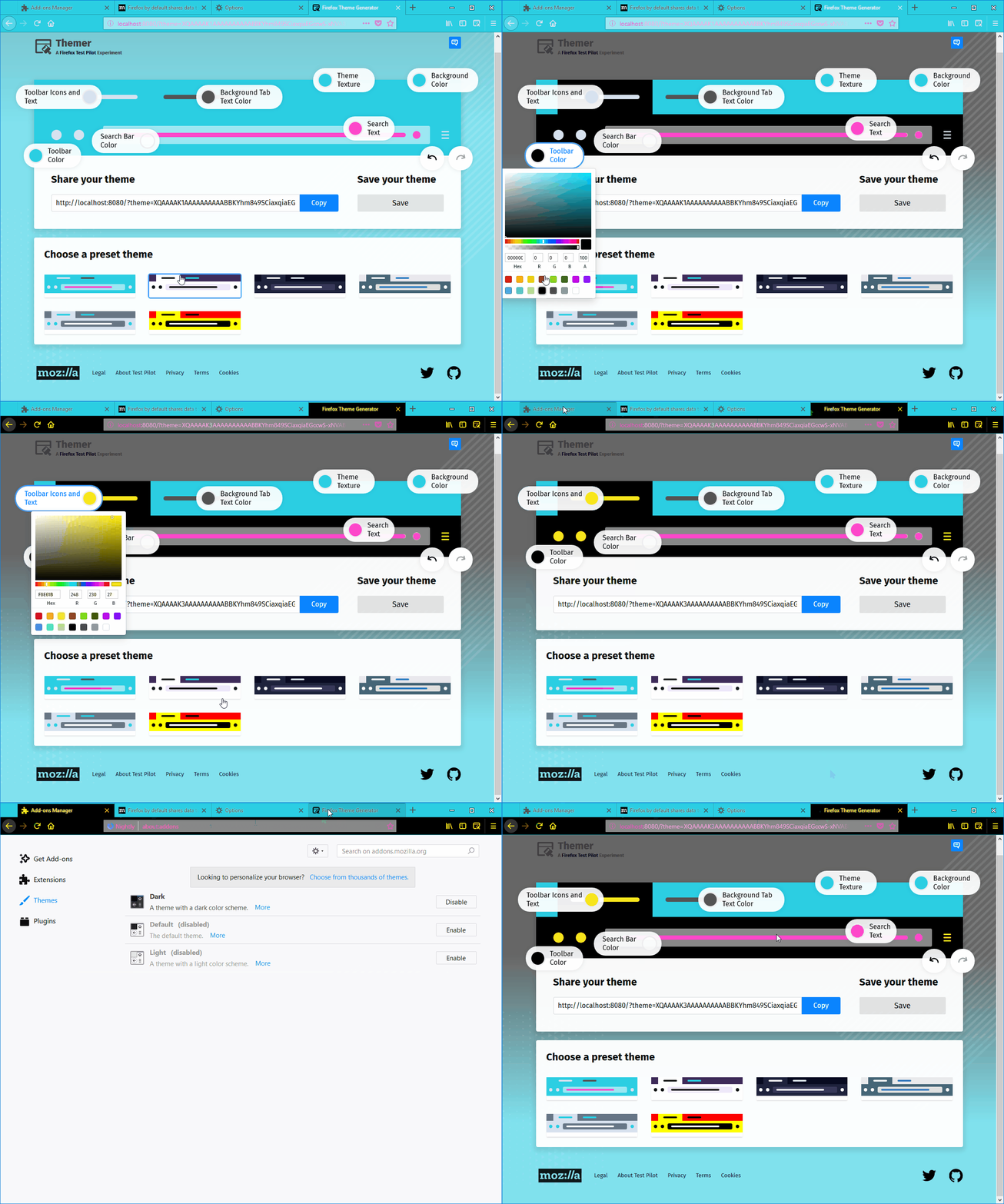
The "Firefox Theme Generator" tab's favicon does not change according to the selected color #121

Description

[Affected versions]:
- Firefox 58.0.2 and up
[Affected Platforms]:
- All Windows
- All Mac
- All Linux
[Prerequisites]:
- Have a Firefox profile with the latest version of the "ThemesRFun" add-on (0.0.24 custom build from 07.03.2018) installed from the "about:debugging" page.
[Steps to reproduce]:
- Open the browser with the profile from prerequisites.
- Click the "ThemesRFun" toolbar button.
- Press the "Toolbar Color" button and select black.
- Click the "Toolbar Icons and Text" and select a color visible on black (e.g. yellow).
- Observe the "Firefox Theme Generator" tab's favicon
[Expected result]:
- The favicon color is changed to the chosen color.
[Actual result]:
- The favicon color remains black.
[Additional Notes]:
- This issue is reproducible with the default Firefox "Dark" theme enabled.
- The issue is not reproducible with the "about:addons" or with the "about:preferences" favicons.
- Attached a screen recording of the issue: