Wits for Your Samsung SMART TV web application development.
It will saved your development times and bring pleasure of developing out.
Using Wits, You can instantly RELOAD your app's JavaScript/CSS code instead of reinstalling your app every time you make a change.
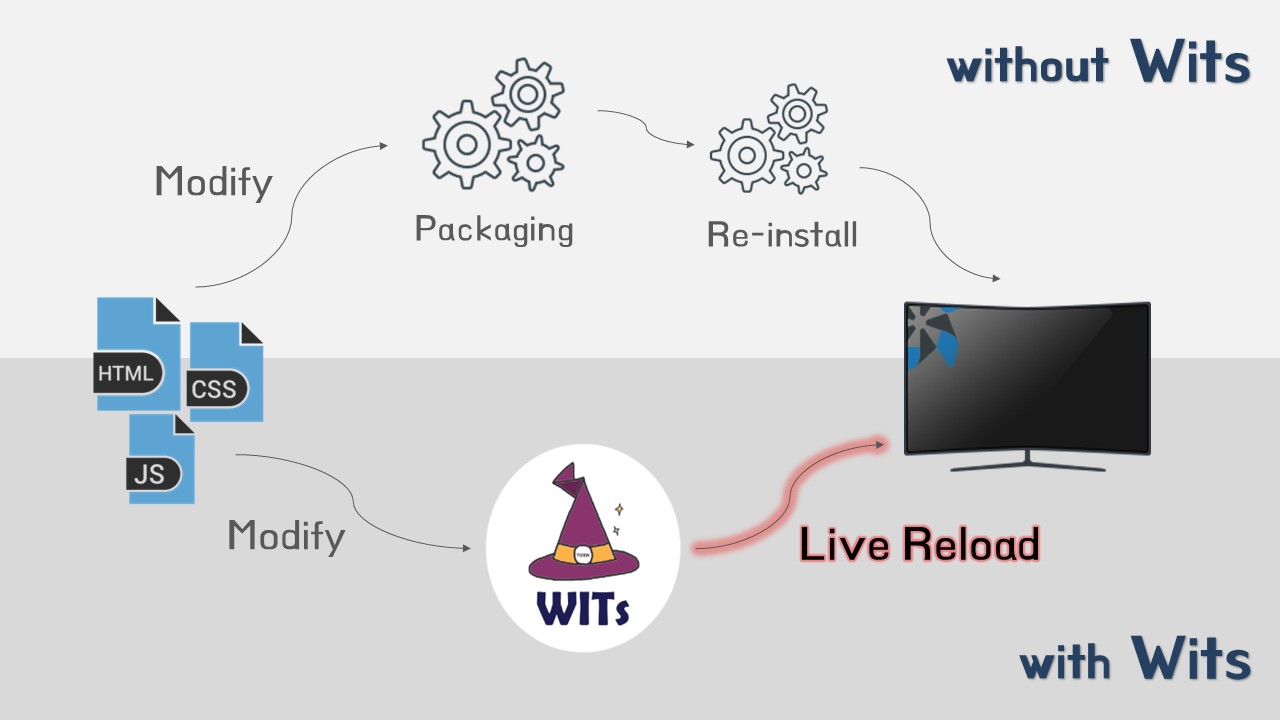
To do so, run "npm start" from Wits.
For using Wits, Please refer to the followings.
    ./
     |-tizen/ ................ Wits project
     |-www/ .................. Your Tizen web Application
     |-app.js ................ Node script for running Wits
     |-connectionInfo.json ... Recently connected Information which has application width and TV Ip address.
     |-package.json .......... npm package configuration
     '-README.md ............. Introduce Wits file.
- 2017 Samsung Smart TV (Tizen 3.0)
- 2018 Samsung Smart TV (Tizen 4.0)
- 2019 Samsung Smart TV (Tizen 5.0)
First, Wits needs the followings. Please install these.
-
nodejs (Optimized Version v7.10.1)
-
Samsung Tizen Studio (Recommend Using The Latest Tizen Studio Version)
-
Command Line Interface
-
Set the
PATHof environment variables.- For use a Wits as a command line tool, then set "tizen" and "sdb" globally command.
To do so, You must add there installed path in the PATH which is one of the environment variables.- For "tizen" command
tizen-studio/tools/ide/bin - For "sdb" command
tizen-studio/tools
- For "tizen" command
- For use a Wits as a command line tool, then set "tizen" and "sdb" globally command.
-
Set the Samsung Tizen TV to DEVELOP MODE.
- Run Developer pop-up. (Press 1 2 3 4 5 keys in Apps)
- Input your PC IP address.
- reboot TV.
-
git clonethe Wits repository.$ git clone https://github.com/Samsung/Wits.git
-
Install dependencies modules in Wits.
$ cd Wits $ npm install -
Modify profileInfo.json
Fill out your profile name and path for Tizen Web application package.
 {
 	"name": "<yourprofileName>",
 	"path": "C:/tizen-studio-data/profile/profiles.xml"
 }
- Check your profilePath
-
Case 1. Tizen TV SDK 2.4 (previous version) :
/<yourWorkspace>/.metadata/.plugins/org.tizen.common.sign/profiles.xml -
Case 2. Tizen Studio (Recommended) :
C:/tizen-studio-data/profile/profiles.xml;
-
- Check your profileName
-
Case 1. Tizen TV SDK 2.4 (previous version) :
window > Preferences > Tizen SDK > Security Profiles -
Case 2. Tizen Studio (Recommended) :
Tools > Certificate Manager > Certificate Profile (Actived one)
-
- Check your profilePath
As a Tizen web application developer, the most of your code and assets should be placed here, such as .html .css .js and config.xml files.
They will be copied to the TV that Wits is prepared. In this folder, every time you make a change, Wits can RELOAD your application instantly.
The baseAppPaths is array type and be supported absolute / relative path, defalut value is www folder which Wits contains.
- on
WindowsandMac OS, Wits recognize path segment only one separator(/).{ ... "baseAppPaths": [ "www", "C:/YourProject/YourApp" ], ... }
Wits supported to ignore directory in your Tizen web application using .witsignore file.
If you create a file in your Tizen web application .witsignore, Wits uses it to determine which directories to ignore,
before Wits project start. This file MUST be located root in your Tizen web application.
.witsignoresupport relative path- A blank line can serve as a separator for readablilty.
- A slash(
/) can serve as a separator for path segment.node_modules .git some/your/ignore/folder ...
-
Run Wits on Samsung Tizen TV.
$ npm start