Set keycloak login theme #5
Merged
Conversation
This file contains hidden or bidirectional Unicode text that may be interpreted or compiled differently than what appears below. To review, open the file in an editor that reveals hidden Unicode characters.
Learn more about bidirectional Unicode characters


lmarini
requested changes
May 13, 2022
backend/docker-dev.sh
Outdated
| if [ $1 == "up" ] | ||
| then | ||
| docker-compose -f docker-compose.dev.yml up -d | ||
| # need to add volume so we can copy the clowder theme into the right place inside the container |
Member

There was a problem hiding this comment.
why not just add the volume to the docker compose? with this approach if anyone runs the default docker compose to run the full stack it will not include this.
backend/keycloak/realm-export.json
Outdated
| "resetPasswordAllowed": false, | ||
| "editUsernameAllowed": false, | ||
| "resetPasswordAllowed": true, | ||
| "editUsernameAllowed": true, |
Member
There was a problem hiding this comment.
I am not sure we want to allow them to change their username? I think we just want the username to default to their email address?

# Conflicts:
#	backend/keycloak/clowder-realm-dev.json
Removed healthcheck for keycloak.
lmarini
approved these changes
Jun 22, 2022

Sign up for free
to join this conversation on GitHub.
Already have an account?
Sign in to comment


Add this suggestion to a batch that can be applied as a single commit.
This suggestion is invalid because no changes were made to the code.
Suggestions cannot be applied while the pull request is closed.
Suggestions cannot be applied while viewing a subset of changes.
Only one suggestion per line can be applied in a batch.
Add this suggestion to a batch that can be applied as a single commit.
Applying suggestions on deleted lines is not supported.
You must change the existing code in this line in order to create a valid suggestion.
Outdated suggestions cannot be applied.
This suggestion has been applied or marked resolved.
Suggestions cannot be applied from pending reviews.
Suggestions cannot be applied on multi-line comments.
Suggestions cannot be applied while the pull request is queued to merge.
Suggestion cannot be applied right now. Please check back later.
To test:
sh docker-dev.sh upgo to clowder frontend and try login, you should see an interface like this:
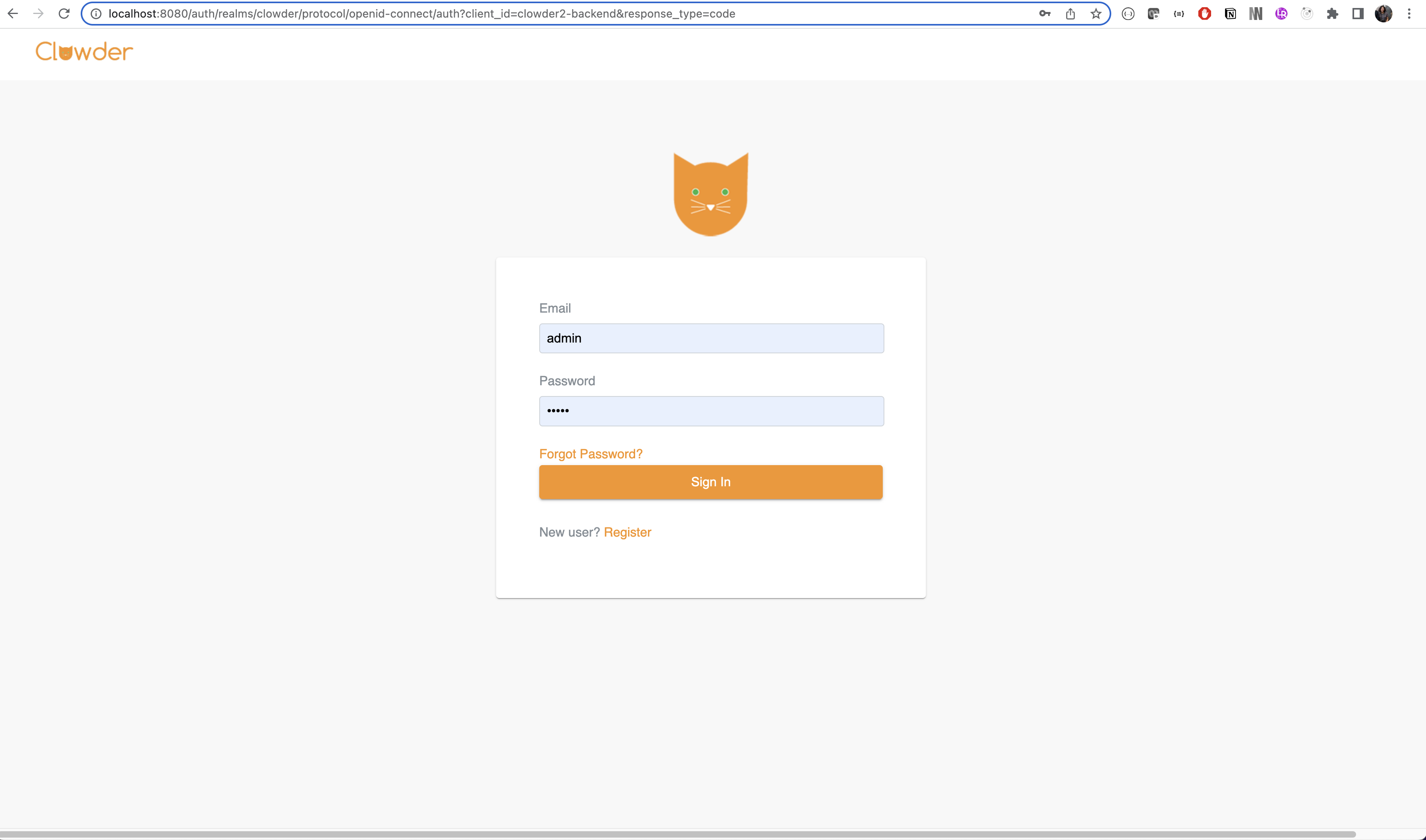
I followed tutorial of https://medium.com/keycloak/change-login-theme-in-keycloak-docker-image-55b5fa5ceec4
CSS is adjusted based on this.